Have you ever wondered if it is truly possible to locate someone with just a few taps on your phone? Curiosity about tracking contacts or keeping loved ones safe is growing daily in the digital world.
Many people look for tracking apps to ensure safety, but it is crucial to understand the limitations of this technology. Not every tool works the same way or operates under the same legal permissions.
Today, we will explore how to track a phone number ethically and efficiently, aiming to clarify what is currently feasible while always respecting privacy and applicable regulations.
How to choose a secure app for this purpose
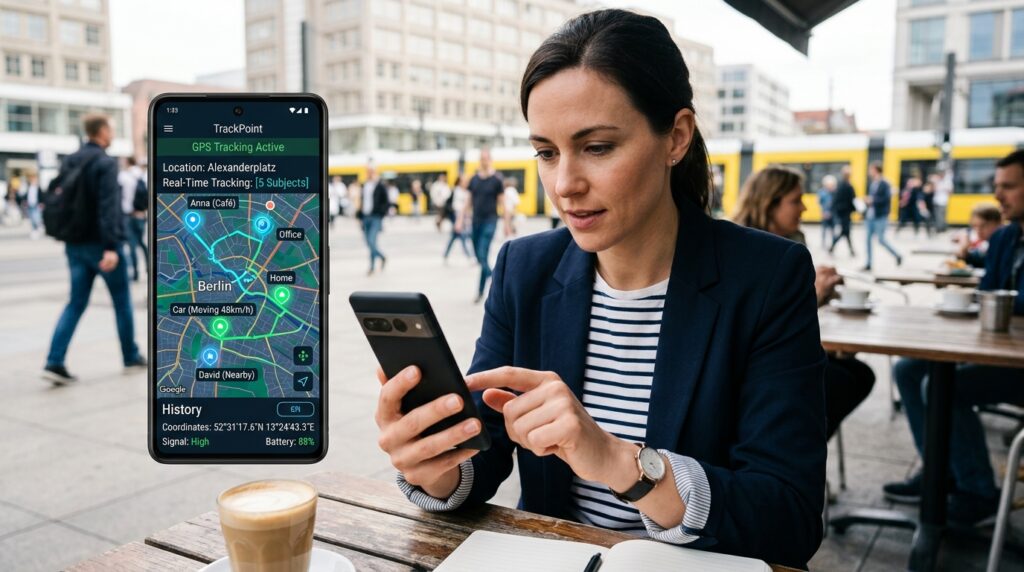
Digital security begins the moment you decide which tracking app to use. With so many options available in app stores, it is easy to feel confused about which tool truly prioritizes the protection of your information.
To ensure a smooth experience, you should take an investigative approach before clicking the install button. Therefore, evaluating the software’s origin is the first step toward avoiding future headaches.
Permissions actually necessary for operation
When installing a new program, the system requests access to various features on your phone; it is crucial to analyze whether the requested app permissions make sense for the tracking function.
A legitimate app should ask only for what is essential to operate. Be on the lookout for unusual requests, such as:
- Access to your contact list without a clear need.
- Permission to read SMS messages or personal emails.
- Full control over the device’s camera or microphone.
- Access to media files and photos stored in the gallery.
Privacy policy, transparency, and data handling
Data privacy is a non-negotiable pillar of any technological tool. Before accepting the terms, take a moment to read the developer’s privacy policy.
Check whether the document clearly explains how your information is collected and stored. Reputable companies detail whether data is shared with third parties or used for advertising purposes.
Reviews, update history, and developer reputation
A tracking app’s reputation can be gauged by feedback from other users. Therefore, read reviews on the official app store, paying special attention to negative comments reporting malfunctions or suspicious behavior.
Also, observe the frequency of updates. Committed developers regularly fix security flaws, keeping the software aligned with current protection standards.
How to spot fake or abusive apps
Certain signs may indicate that you are dealing with malicious software. Be wary if the app displays excessive ads, makes unrealistic promises about pinpointing a location without authorization, or lists a generic, unknown developer.
Avoid downloading files from third-party sites or clicking links sent in messages from unknown sources. Sticking to official app stores is the best way to ensure the software has undergone basic security checks.
Main ways to locate a lost mobile phone
Did you know you can find your lost device using only the system’s built-in tools?
Instead of relying on unknown software, manufacturers offer integrated solutions that ensure greater security and privacy when searching for your device.
Location linked to the device account
The foundation of any efficient tracking system is the account you use on your smartphone. When setting up your device, logging in with an official email address creates a direct link between the hardware and the company’s servers.
This connection allows the system to identify the device’s last recorded location. This record enables you to use a reliable phone locator service without exposing your personal data to third parties.
Using Google Find My Device on Android phones
Google Locator
You will be redirected to another site.
Google Locator
For Android users, Google’s Find My Device is the standard tool, allowing you to view the device on a map, play a sound, or even remotely lock access.
To use this feature, simply visit the service’s official website on a computer or another smartphone. By logging in with the same Google account, you gain immediate access to the phone’s real-time location.
Using Find My on Apple devices
Search
You will be redirected to another site.
Search
iPhone users have access to the “Find My” feature—a highly practical and comprehensive tool that uses a global network of devices to help locate your device, even when it is offline.
The service activates automatically when you set up iCloud on your device. If you need to track a lost phone, simply visit the iCloud website or use the app on another Apple device to view its exact location on a map.
Requirements for tracking to work
For any attempt to track a lost phone to succeed, certain technical requirements must be met. Without these basics, the system will be unable to transmit the updated location:
- The device must be turned on and have battery charge.
- The internet connection—via Wi-Fi or mobile data—must be active.
- Location services (GPS) must be enabled in the settings.
- The user account must be properly connected to the device.
Location-sharing apps based on consent
When it comes to personal safety, location consent is the fundamental pillar of any digital tool.
Using a location app consciously allows you to keep loved ones informed about your whereabouts without sacrificing your privacy.
How location sharing works on Life360
Life360: Locate Your Family
You will be redirected to another site.
Life360: Locate Your Family
Life360, Android and iOS, is one of the most popular tools for sharing your location with trusted circles; it works by creating private groups where members can view each other’s real-time locations.
This platform is ideal for families seeking peace of mind in their daily lives. In addition to displaying a map, the app offers features such as location history and alerts when members arrive at specific places, like school or work.
When Google Maps is a practical alternative
Google Maps
You will be redirected to another site.
Google Maps
For those who already use Google services, Maps offers an extremely practical and integrated solution, Android and iOS, allowing you to choose specific contacts to view your location for a set period.
This option is excellent for quick meetups or trips, as it requires no additional software installation. Simply access the sharing menu and select the desired duration for the other person to track your movements.
Creating family groups and setting sharing time limits
Managing access is crucial for maintaining digital security. By creating family groups, you can establish clear rules regarding who can see your location and how long that access remains active.
- Set short time limits for temporary sharing.
- Periodically review who has access permissions.
- Use separate groups for friends and family.
- Disable sharing once the objective has been met.
How to stop location access
Knowing how to stop tracking is just as important as enabling it. With both Life360 and Google Maps, you can revoke access at any time via the app’s own privacy settings.
When you disable this feature, the map will immediately stop showing your location. Maintaining this control ensures that location sharing remains a voluntary and safe choice for everyone involved.
Step-by-step guide to setting up mobile tracking
The journey to set up mobile tracking begins with quick adjustments to your device’s settings.
Following a logical order ensures that all functions operate seamlessly, providing the peace of mind you seek when using these tools.
Activating location and necessary services
The first step is to ensure GPS is enabled. Without this function, the system cannot capture the device’s precise geographic coordinates.
Additionally, verify that your internet connection—whether via Wi-Fi or mobile data—is stable. Real-time data transmission relies directly on an active network to function correctly.
Creating or connecting an account in your chosen app
Once the hardware is ready, log in to your preferred app. Use an easily accessible email address and create a strong password to protect your data.
Many platforms require account verification via SMS or email. This step is essential to validate your identity and ensure that only authorized individuals can access the control panel.
Authorizing the contact who will have access to your location
For the system to work, you will need to manage app permissions within your operating system’s settings. The software will request access to your contacts and background location.
Granting these permissions allows the app to share data with the people you choose. Remember to regularly review who has access to your map to maintain control over your privacy.
Testing the map, signal, and notifications
After completing the installation, run a practical test. Check if the map accurately displays your current position and if arrival or departure notifications are being sent correctly.
If the signal seems weak, try moving to an open area; this helps the GPS triangulate your position more efficiently and avoids common reading errors.
What to do if the map doesn’t update
If the map appears stuck, there are a few simple steps you can take to ensure tracking is set up effectively:
- Check if power-saving mode is restricting GPS usage.
- Confirm that the app has permission to run in the background.
- Restart the device to clear temporary processes that might be causing conflicts.
- Ensure the app is updated to the latest version available on the official store.
Conclusion

The search for monitoring tools requires caution and respect for ethical boundaries. Therefore, using a tracking app should always be a conscious choice, focused on protecting your loved ones or recovering your own devices.
Many people believe it is possible to track a phone number to obtain exact locations without permission. This idea is a dangerous myth that puts your digital security at risk.
Consequently, always prioritize transparency when sharing location data. Regularly check your device’s privacy settings to prevent unauthorized access.